
According to a recently published document, the issue affects Microsoft 365 customers using the Outlook desktop client on Windows systems.
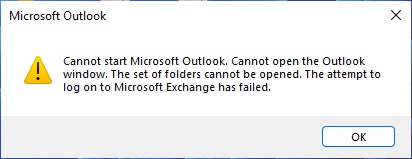
On affected systems, users see an error message warning that Outlook cannot start and that an attempt to log in to an Exchange account has failed.
The company hasn’t disclosed the root cause of the bug, only noting that it can occur “for various reasons.” Affected users are advised to open a support ticket through the Microsoft 365 Admin portal. The Exchange Online support team will then be able to request changes to the service to resolve the bug.
While Microsoft investigates the issue and works to fix it, the company asks all affected users to confirm that they are indeed experiencing the issue by using Fiddler trace and searching for the error “LID: 49586 – Authentication concurrency limit is reached.”
Another support document dedicated to “Cannot start Microsoft Outlook. Cannot open the Outlook window” errors suggests users try the following troubleshooting steps:
- start Outlook in safe mode and disable add-ins;
- create a new Outlook profile;
- Recover Outlook data files;
- Run the command /resetnavpane.
Anyone affected by the bug is also advised to temporarily use the new Outlook for Windows or Outlook Web Access (OWA) to access their mailboxes.